Importmaps in NodeJS using custom loaders
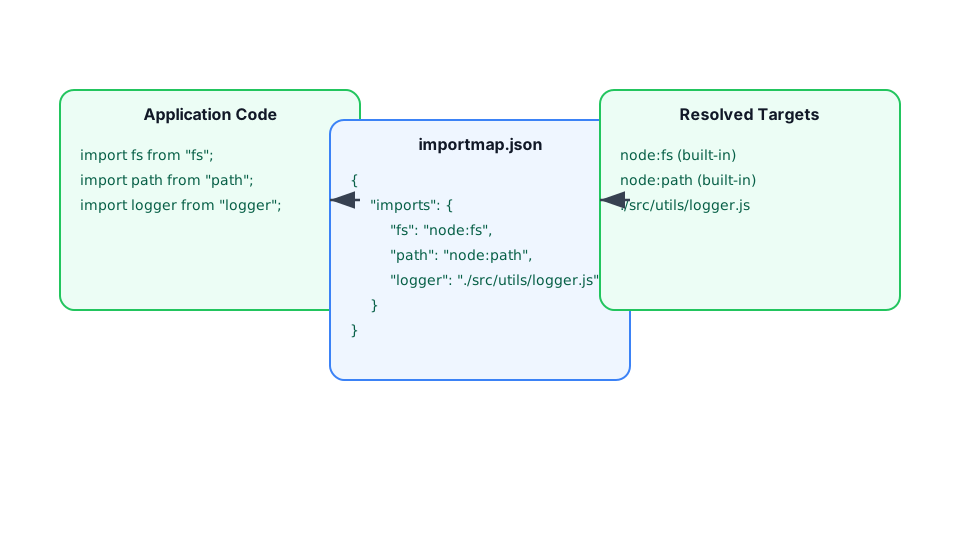
Import-maps is a new feature introduced in modern web browsers that allows web developers to specify how modules should be resolved and loaded in a web application. With import-maps, developers can map specific module URLs to different URLs or aliases, making it easier to manage dependencies and load modules from third-party sources.
Import-maps are supported in most of the major browsers at the moment. You can polyfill it by using es-modue-shims for older versions of browsers. You can read more about import-map in this detailed blogposts by mozilla team
Deno has embraced import-maps in its core and now supports them by default, providing users with more control over dependencies used in their projects. Furthermore, Deno supports loading modules from http URLs, which enhances the usefulness of import-map. Users can now load their modules from any source and use them as bare module specifiers in their projects. Personally, I have always been a huge fan of loading modules from CDNs due to the numerous benefits they offer, such as reducing disk space consumption.
However, NodeJS users need not despair just yet. NodeJS is experimenting with loading modules from external URLs behind a flag. NodeJS custom loaders are also a powerful feature in themselves, offering an elegant API to hook into Node’s resolution algorithm and load content on demand. Let’s put together a custom NodeJS loader using the
@jspm/import-map package and run an express-based server for serving some random facts.
You can create your own import-map for the use-case using jspm’s online generator or using jspm-cli. If you are using cli, you can install it globally using
npm install -g jspmAnd inside the folder, run the following command to generate the import-map
jspm install express morga chalk random-facts -o node.importmap -e module,production,nodeThe -e variable should be set to node so that if any browser packages are using built-ins like proces or fs, they will be mapped to node:process or node:fs. We can then proceed to quickly assemble a Node.js loader.
Loader
export const resolve = async (specfier, context, nextResolve) => {
  return nextResolve(specifier);
};
Let’s break down the necessary steps for this process:
specifieris thebare modulethat Node.js is attempting to resolve.contextprovides us with the data of the parent module that is attempting to load thespecifier. This plays a vital role in ensuring that the appropriate module is loaded, taking into account any scopes specified in the import-maps.nextResolveis a callback that we can use to instruct the resolution algorithm where to check for the resolved module for loading.
The process is quite similar to writing plugins for tools such as Vite, Rollup, or esbuild. For a more detailed explanation of loaders, refer to the Node.js documentation. We need to perform the action in two stages: first, resolve the specifier from the import-map itself, and second, fetch the module from the HTTP URL and save it in a temporary cache.
Resolving module from the import-map #
const importmap = new ImportMap({
  rootUrl: import.meta.url,
  map: existsSync(nodeImportMapPath)
    ? JSON.parse(readFileSync(nodeImportMapPath, { encoding: "utf8" }))
    : {},
});

export const resolve = async (specifier, context, nextResolve) => {
  if (!context.parentURL || !nodeImportMapPath) {
    return nextResolve(specifier);
  }

  try {
    const modulePathFromMap = importmap.resolve(
      specifier,
      cacheMap.get(context.parentURL) || context.parentURL,
    );
    const moduleCachePath = await parseModule(specifier, modulePathFromMap);
    return nextResolve(moduleCachePath);
  } catch (error) {
    console.log(error);
  }

  return nextResolve(specifier);
};
After creating the **node.importmap**file, we load it into the loader and pass it to the **ImportMap**utility from @jspm/generator. This utility is a powerful tool that simplifies import-map handling.
Loading module from URL
const moduleURL = new URL(modulePathToFetch);
const [, packageName, version, filePath] = moduleURL.pathname.match(
  extractPackageNameAndVersion,
);
console.log(`${packageName}@${version}`);
const cachePath = join(cache, `${packageName}@${version}`, filePath);
cacheMap.set(`file://${cachePath}`, modulePathToFetch);

if (existsSync(cachePath)) {
  return cachePath;
}

const code = await (await fetch(modulePathToFetch)).text();
ensureFileSync(cachePath);
writeFileSync(cachePath, code);
Using the ImportMap utility from the previous step, we can parse the http URL load. For example, if the specifier is “express”, the importmap.resolve function will return https://ga.jspm.io/npm:express@4.18.2/index.js . We can then make a simple fetch call to load the module from the CDN and save it in a .cache folder. You can find the complete loader code at https://github.com/jspm/node-importmap-http-loader
And that’s it! You now have a quick custom loader to support import-maps in Node.js. You can try out the loader with this CodeSandbox example.
Putting together and experimenting with this Node.js loader was a fun and rewarding experience. It allowed us to explore the use of HTTP URLs and import-maps in Node.js, and gain a deeper understanding of how custom loaders work in the Node.js ecosystem.
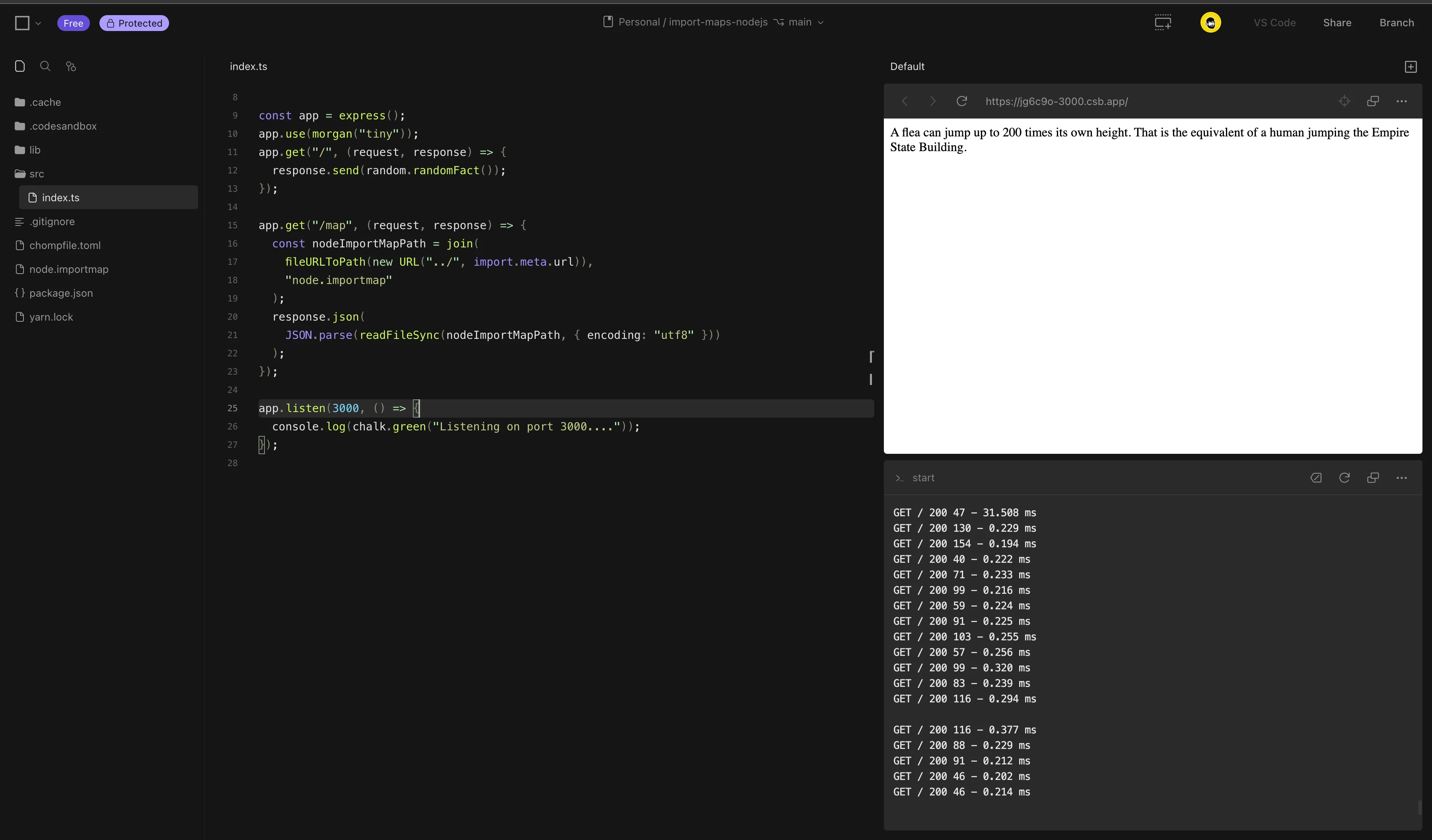
Link for Codesandbox ‣ template
Disk usage
The amount of disk usage for node_modules vs the .cache is quite significant. As import-maps are so granular to control the dependencies that are actually needed for the project to run. The above example takes around 1.3MB in dependencies to run a simple express server. You can check by running
> du -sh .cacheIf the same modules are downloaded from npm the size of node_modules is around 157MB. You can check the same using
> du -sh node_modules --exclude=@jspm/import-map --exclude=node-fetch --exclude=fs-extraPS: @jspm/import-map, node-fetch and fs-extra are the deps from the loader itself