From 3D Printing to Parametric Designs: From Static Models to Dynamic Solutions
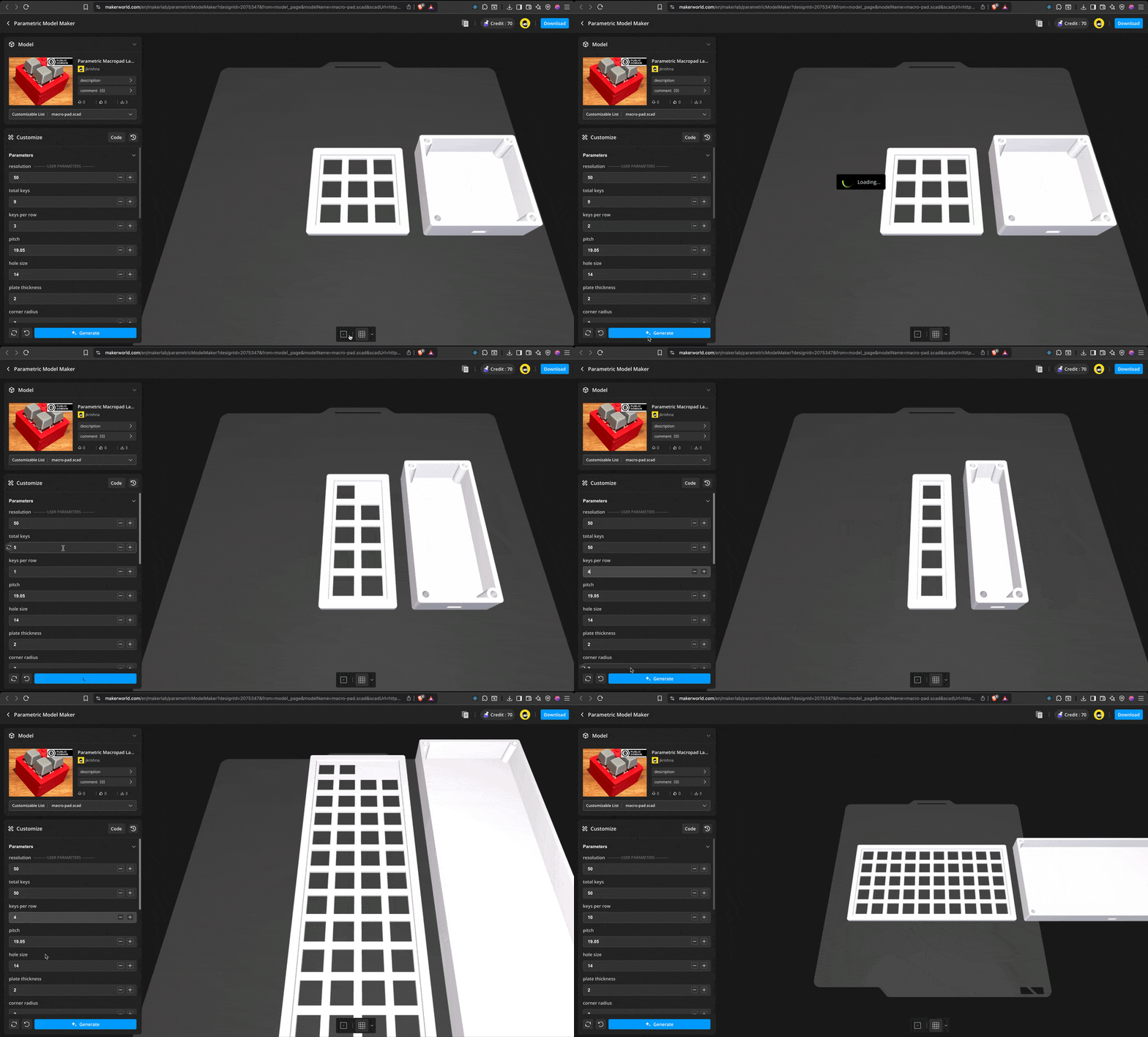
I come from a software background, and that way of thinking tends to show up in everything I work on — even in hobbies. Over the last few months, I’ve been experimenting with more physical projects, like building a macropad and getting into 3D printing.
Designing something physical, printing it, assembling it, and then using it regularly felt very different from most software projects. The feedback loop was tangible in a way that code rarely is in physical world. But none of this ever replaced software for me — these are just side projects driven by curiosity.
While working on hardware and 3D models, I focused on structure and reuse, and tried to minimize repeated redesign. This eventually led me to parametric modeling.
Discovering Parametric Modeling
Around this time, I started looking into parametric modeling as a concept on its own. It wasn’t something that came up naturally while designing the macropad, but it felt like an area that could be useful, especially for projects that tend to have many small variations.
Parametric modeling is based on the idea of defining a design through inputs rather than fixed dimensions. Instead of creating a single, static model, you describe how the model should be constructed, and let the parameters control the final result.
Coming from software, this approach felt familiar. Writing the rules once and changing behavior through inputs is something we do all the time. Applying the same idea to physical design made sense, particularly for something like a macropad, where layouts can vary without changing the core structure.
That perspective is what made parametric modeling worth exploring further, even before committing it to a specific project.
Choosing OpenSCAD
While exploring parametric modeling, I came across OpenSCAD. What stood out immediately was that it is entirely script-based. There’s no direct manipulation of shapes with a mouse — the entire model is described through code.
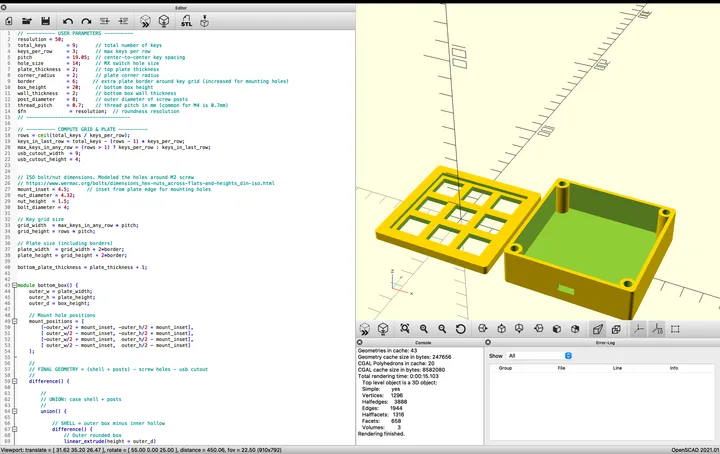
That approach fit naturally with how I already work. As a frontend developer, I’m used to writing logic, running a build step, and seeing the output update on the screen. OpenSCAD felt very similar in that sense: write a script on one side, and see the generated geometry update on the other.
Instead of drawing individual shapes, you define relationships, dimensions, and constraints. Small changes to variables can affect the entire model, which makes it well suited for parametric designs. It also made iteration straightforward — adjusting values and re-rendering the model felt closer to tweaking code than working in a traditional CAD tool.
Building the Parametric Macropad Model
Once I was comfortable with the basics of OpenSCAD, I started working on a parametric model for a macropad case. The goal wasn’t to create a single layout, but a model that could adapt to different configurations without requiring redesign.
The model is driven by a small set of inputs, such as the total number of keys and the number of keys per row. From those values, the overall dimensions, spacing, and structure of the case are derived. Changing the layout is as simple as updating a few parameters and regenerating the model.
Most of the work involved figuring out how to express the design in terms of relationships rather than fixed measurements. Instead of placing things manually, the focus was on describing how parts should scale and align as the inputs change. That shift in thinking took some time, but it’s also what made the process interesting.
After a few hours spread across multiple days, the model reached a point where it could generate usable macropad cases for a wide range of layouts. Each configuration produces a printable STL file without any manual adjustments.
Running the Parametric Model in the Browser #
Once the parametric model was working locally, I wanted to make it usable directly from the website, without requiring any local setup or desktop tools. Since this project already sat at the intersection of code and design, running it in the browser felt like a natural next step.
I set up OpenSCAD compiled to WebAssembly and ran it entirely client-side. The OpenSCAD source, along with the selected parameters, is passed into the WASM runtime, which generates an STL file in the browser. There’s no server involved in this process — everything runs locally for the user.
The setup is straightforward: the model behaves almost like a pure function. Given a set of inputs, it produces an STL output. Changing a value simply means re-running the same logic with different parameters.
Once the STL is generated, it’s passed to three.js for rendering. Three.js handles loading the geometry, setting up lighting, and providing basic camera controls so the model can be inspected interactively. This makes it possible to preview the generated design before downloading it.
The result is a small, self-contained pipeline that runs entirely in the browser — parameters go in, geometry comes out, and the STL is immediately available to view and download.
You can play around with the parametric macropad model yourself below.
Link to the same model in Makerworld
Bringing It All Together
This project sits at the intersection of two things I enjoy: creating physical objects and building software. Parametric modeling let me apply familiar software concepts — inputs, logic, and reusable systems — to 3D design. At the same time, building the pipeline to generate and render models in the browser brought my frontend experience directly into the workflow.